comparisons
6 Best Voice Notes Apps That Organize Your Thoughts for You (2026)
Recording is the easy part. We compared six voice notes apps by what they do next: turn speech into something organized, searchable, and useful.

What makes a voice notes app useful after recording?
A recorder preserves audio. A transcription app turns the audio into words. A useful voice notes app should go one step further: give the thought a clear shape, put it somewhere sensible, and make it easy to retrieve when the original moment is gone.
That distinction matters because a perfect transcript can still become another pile. If every memo, meeting, shopping list, reminder, and half-formed idea lands in one endless feed, the work of sorting it has only been delayed.
- Capture should be fast enough that organizing does not interrupt the thought.
- The app should recognize whether the recording is a note, task, list, idea, or meeting when it claims to do so.
- Organization should make information easier to browse or retrieve, not merely add a generic AI summary.
- Search should cover the useful output, and ideally the transcript or source as well.
- People should retain control when the AI gets a title, category, or location wrong.
How we evaluated these voice notes apps
For this first edition, we reviewed current official product pages, help-center documentation, and platform support information on July 22, 2026. We did not pretend to run a laboratory transcription test or use every paid plan for weeks. The comparison is about documented workflows and organization features, not a claimed accuracy benchmark.
How can you capture?
We looked for direct voice recording and noted when an app also accepts text, meetings, files, images, or links.
What happens automatically?
We separated transcription and summarization from classification, filing, action extraction, and other post-capture work.
How is the result organized?
We compared feeds, tags, folders, categories, project channels, and automatic folder paths.
Can you find and correct it?
Search, source access, editable locations, and correction controls received more weight than decorative AI output.
Who is it really for?
We assigned a best-fit use case instead of declaring that one workflow is right for everyone.
Disclosure
This comparison is published by Swistly. Our recommendation of Swistly reflects the organization problem we built the product to solve. We link to each competitor's official documentation so you can verify the features and choose based on your own workflow.
The best voice notes apps at a glance
| App | Best for | What happens after capture | Organization style | Platforms |
|---|---|---|---|---|
| SwistlySwistly product information and live app workflow, checked July 22, 2026. | Automatic filing into useful folder paths | Cleans and classifies voice or typed notes, meetings, lists, tasks, and ideas | Folders and subfolders; locations can be corrected | iPhone and Android |
| VoicenotesVoicenotes Help Center: What can Voicenotes do? and organization guide. | A searchable voice-first library and content creation | Creates transcripts, titles, summaries, meeting reports, and reusable outputs | Searchable library with tags and Ask AI | Mobile and web workflows |
| AudionotesAudionotes official mobile and product pages. | Mixed media, languages, and export options | Turns voice, files, images, video links, and text into structured notes | Search, bookmarks, folders, tags, filters, and sorting | iOS, Android, web, and Mac beta |
| ThinkPoolThinkPool official product page. | Fast separation of notes, tasks, and shopping lists | Detects the intended output and formats the recording accordingly | Content-type categories and structured results | iPhone |
| OtterOtter official product and meeting pages. | Meeting transcription and follow-through | Produces transcripts, summaries, decisions, action items, and searchable meeting knowledge | Channels grouped by team, project, or topic | iOS, Android, web, and desktop |
| Apple Voice MemosApple Voice Memos user guides for iPhone and Mac. | Free built-in recording on Apple devices | Records audio and supports transcription on compatible systems | Manual folders plus automatic Favorites and device-based Smart Folders | iPhone, iPad, Apple Watch, and Mac |
Which voice notes app is best for your workflow?
Swistly: best for automatic folders and subfolders
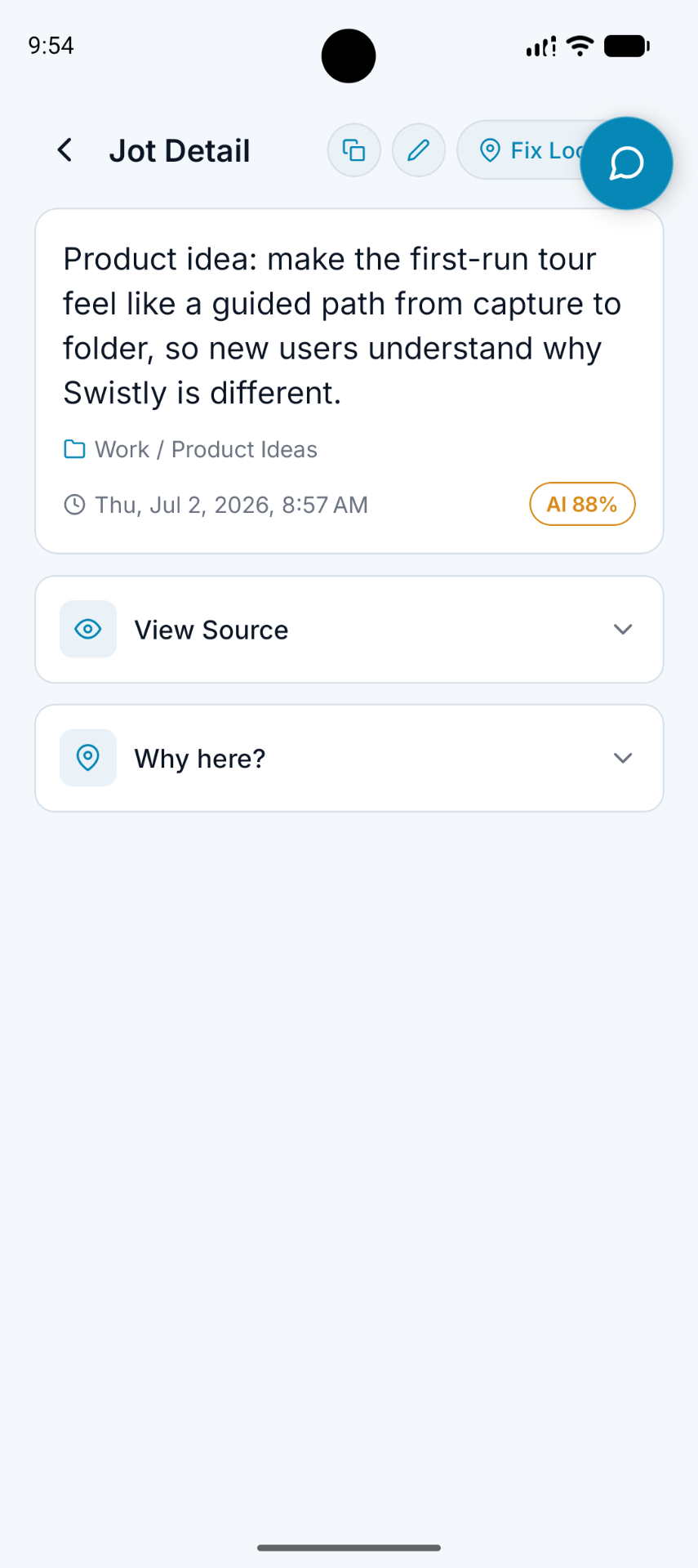
Swistly is built around the step most note apps leave to the user. You record or type the thought first. Swistly cleans it up, recognizes whether it is a note, task, list, idea, or meeting, and files it into an existing or newly created folder path. That makes it the strongest fit in this group when your real problem is not capture but finding the thought again later.
The useful control is correction. If Swistly chooses the wrong location, you can move the note. Those corrections can improve how future notes are organized, so the system can become closer to the way you actually think instead of locking you into its first guess.
Best fit
Choose Swistly if you think in projects, clients, parts of life, folders, and subfolders—and you want the app to make the filing decision after capture.
Voicenotes: best for a searchable voice-first library
Voicenotes handles several kinds of spoken input well on paper: a single-speaker memo, a meeting with multiple speakers, or dictation intended to become an email or other written output. Its current help documentation says memos receive a transcript, generated title, and summary; meetings receive a structured report with decisions and follow-up actions.
Its organization model centers on a searchable library, tags, and Ask AI. That is useful if you are comfortable retrieving by search or maintaining lightweight tags. It is less folder-first than Swistly, but stronger when you want to ask questions across recordings or turn a recording into another format.
Audionotes: best for mixed media and flexible exports
Audionotes accepts more than direct voice recordings. Its official pages describe text notes, images, uploaded audio or video, and YouTube links, followed by transcription, translation, structured outputs, chat, publishing, and export. It also documents search, bookmarks, folders, tags, filters, and sorting.
That breadth makes Audionotes a practical choice for students, researchers, and creators whose source material arrives in many formats. Its organization controls appear broad, but the user still chooses how to arrange folders and tags. Pick it for input and output flexibility more than automatic folder placement.
ThinkPool: best for separating notes, tasks, and shopping lists
ThinkPool has a narrower and easy-to-understand promise. Record naturally and the app determines whether the result should be a note, an actionable task, or a shopping list. Its public product page emphasizes structured results rather than a deep folder hierarchy.
That makes it appealing when the main organizational decision is content type. It is a less obvious fit when you need a growing project structure, cross-platform access, or meeting-heavy workflows.
Otter: best for meetings and team follow-through
Otter is the specialist in this group. It records or joins meetings, creates live transcripts and summaries, identifies decisions and action items, and lets users search across meeting knowledge. Its Channels organize conversations by team, project, or topic, and its integrations extend meeting output into other work tools.
Choose Otter when meetings are the center of the problem. For quick personal thoughts, household lists, or notes that should land inside a personal folder tree, its meeting-first system may be more machinery than you need.
Apple Voice Memos: best free built-in recorder
Apple Voice Memos is already on the iPhone and handles reliable capture without a new account or subscription. Apple's guide documents folders, Favorites, and Smart Folders for items such as favorites and Apple Watch recordings.
The tradeoff is manual organization. You select recordings and move them into folders yourself. Voice Memos is a good baseline if you record only occasionally or want to keep the original audio inside Apple's ecosystem. It is not designed to classify a rambling thought and file the resulting note into a project structure for you.
What automatic voice-note organization should look like
The clearest test is to record something that contains more than one kind of information. A useful app should preserve the meaning while reducing the decisions you have to make afterward.
Spoken note
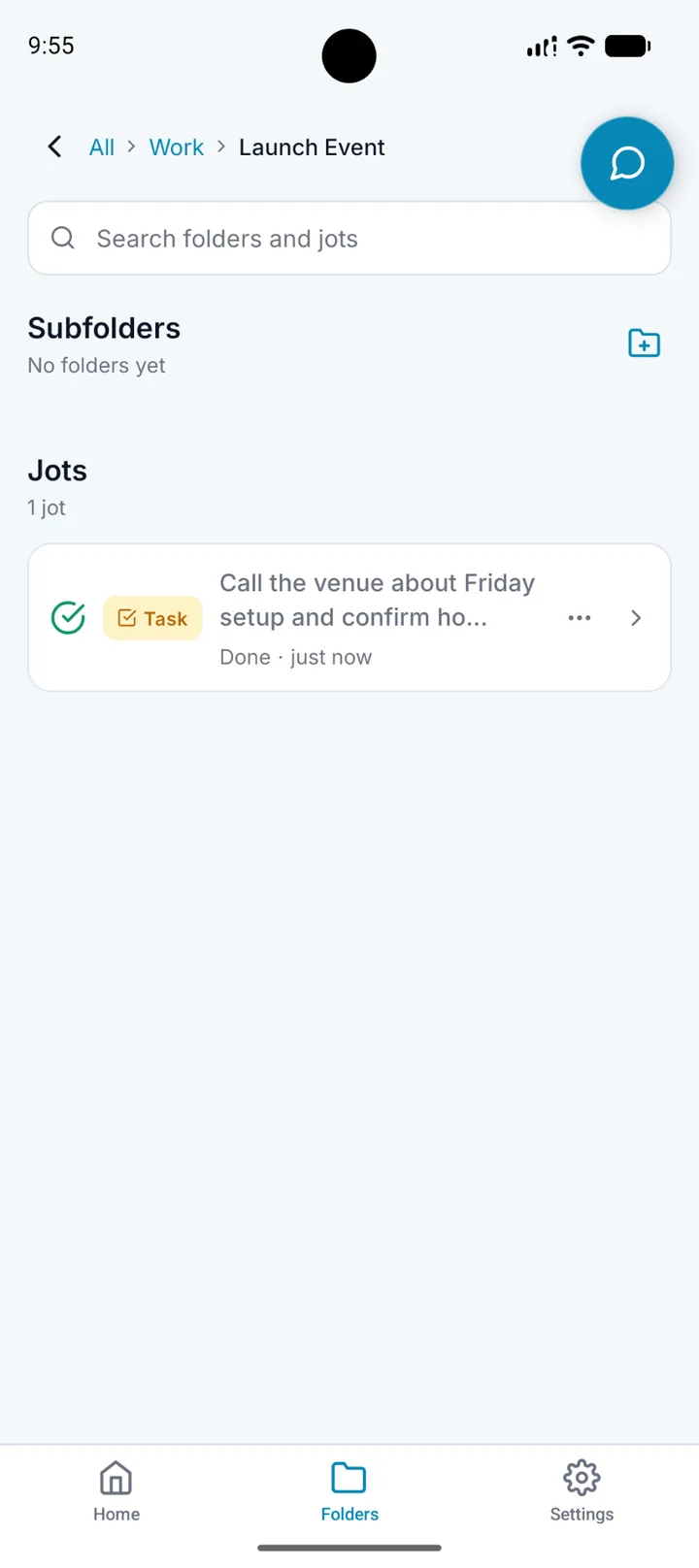
For the launch event, call the venue Friday to confirm setup time, add name badges to the supply list, and remember that Mia asked for the final guest count.
Useful organized result
A titled launch-event note filed under Work / Launch Event, with a call-the-venue task, a name-badges list item, the guest-count detail preserved, and the original recording available for reference.
Not every app will produce that exact result, and no AI will interpret every recording correctly. The point is to look beyond the transcript. Ask how many decisions remain between stopping the recording and using the information.
How to choose the right voice notes app
Pick a normal, messy thought
Use a recording that mixes an idea, a task, and a detail you will need later. A polished test sentence proves very little.
Count the work after transcription
Notice whether you must retitle, reformat, tag, move, or rewrite the result before it becomes useful.
Try to find it a week later
Search using the topic, a remembered phrase, and the location where you expected the note to land.
Correct one mistake
Move or edit a misclassified note and see whether the control is obvious and whether the app can adapt to that preference.
Check the source and privacy model
Confirm whether the original audio remains available, where processing happens, and what the service says about stored recordings.
Recording consent still matters
Before recording another person or a meeting, check the laws and policies that apply to you and get appropriate consent. An app's recording button does not replace that responsibility.
Do not choose by transcript quality alone
Transcription accuracy matters, but a clean transcript is not automatically a useful note. Evaluate organization, correction, retrieval, source access, and privacy with the same care.
Final verdict
Start with the problem you want the app to remove. If you want automatic folder and subfolder filing for everyday notes, lists, tasks, ideas, and meetings, Swistly is the best match in this comparison. If you want a voice-first searchable library and content repurposing, look at Voicenotes. Choose Audionotes for mixed inputs and exports, ThinkPool for simple content-type classification, Otter for meeting workflows, or Apple Voice Memos for occasional free recording you are willing to organize yourself.
The winning app is the one that leaves you with less work and a better chance of finding the thought when it matters. Recording is only the beginning.
Sources
- Swistly — Capture it. Swistly files it.Official product site, accessed July 22, 2026.
- What can Voicenotes do?Voicenotes Help Center, accessed July 22, 2026.
- How to organize your notes in Voicenotes using tagsVoicenotes Help Center, accessed July 22, 2026.
- Audionotes mobile app and featuresOfficial product page, accessed July 22, 2026.
- ThinkPool voice-to-notes appOfficial product page, accessed July 22, 2026.
- Otter Meeting AgentOfficial product page, accessed July 22, 2026.
- Organize recordings in Voice Memos on iPhoneApple Support, accessed July 22, 2026.
- Organize recordings in folders on MacApple Support, accessed July 22, 2026.
- Casual woman using voice command on smartphone at homeHero photograph by Vitaly Gariev via Pexels.
Frequently asked questions
What is the best voice notes app for automatic organization?
Swistly is our best fit when automatic organization means filing notes into useful folders and subfolders, with the option to correct a location. Other apps may be better if your priority is meeting transcription, mixed media, on-device recording, or content repurposing.
Can a voice notes app organize recordings into folders automatically?
Yes, some apps can classify a recording and file the resulting note automatically. Check whether the app creates real folder paths, uses tags or categories, or simply makes the transcript searchable, because those are different organization models.
Is Apple Voice Memos enough for organized voice notes?
It can be enough for occasional recording. Apple Voice Memos supports folders and Favorites, but its standard workflow expects you to move recordings into your own folders rather than interpreting and filing each thought for you.
Which voice notes app is best for meetings?
Otter is the meeting specialist in this comparison because its documented workflow centers on live transcription, summaries, decisions, action items, channels, and integrations. Swistly also supports longer meetings when you want meeting output organized alongside everyday notes and folders.
Should a voice notes app keep the original recording?
Keeping the source is valuable because AI transcription, summarization, and classification can be wrong. If verification matters to you, confirm the app's source-retention behavior and privacy policy before recording sensitive information.
Glossary
- Automatic organization
- Software deciding how to title, classify, group, tag, or file captured information after the user records or types it.
- Voice note
- A spoken memo captured as audio, often paired with a transcript, summary, or structured note.
- Source retention
- Keeping the original recording or transcript available so a user can verify an AI-generated result.